Factory Reset
Restore FlexKVM to its factory state.
Will clear: Accounts, passwords, 2FA keys, WiFi configuration, custom settings.
Will not clear: Audit logs (preserved in both hardware and software resets), firmware version (not downgraded).
Need to clear logs too? Use the SSH
reset allcommand.
After reset completes, the device auto-reboots. During the process, the OLED shows a reset icon, and the 🟢 Status LED and 🔴 Warning LED fast-blink together.
Hardware Reset
Use when you can't access the Web interface. Use a SIM ejector pin to hold the factory reset button (RST hole). The OLED shows a countdown — release after about 15 seconds when it reaches zero → device auto-reboots.
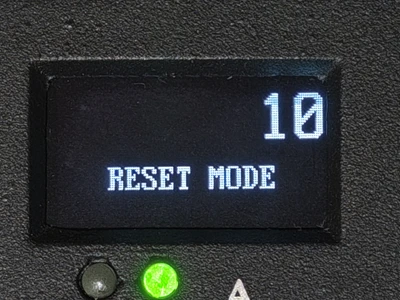
Requires physical access to the device — cannot be done remotely. See Physical Buttons.
Software Reset
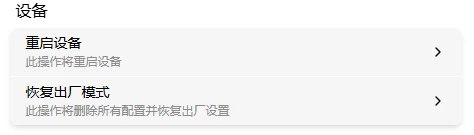
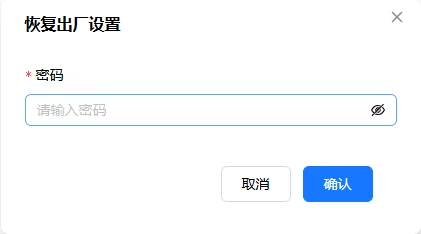
Go to Settings → Maintenance → click the "Factory Reset" card → enter password to confirm → device auto-reboots.
SSH Reset
After SSH login, execute:
| Command | Effect |
|---|---|
reset | Factory reset, preserves audit logs (recommended) |
reset all | Full reset, clears everything (including audit logs) |
The device auto-reboots after confirmation.