Storage Management
FlexKVM uses a TF card (MicroSD) for local storage expansion, supporting file management, virtual CD-ROM, and USB export. The two most common scenarios: sharing an ISO image as a virtual CD-ROM for remote OS installation, and transferring files between the TF card and the target host.
TF Card Requirements
| Item | Requirement |
|---|---|
| Card type | MicroSD (TF) card |
| Filesystem | FAT32 / exFAT / ext4 / NTFS (exFAT recommended — no 4GB limit) |
Installation
The TF card slot is on the side of the device, below the power LED. Insert with metal contacts facing the power LED — push until you hear a click.
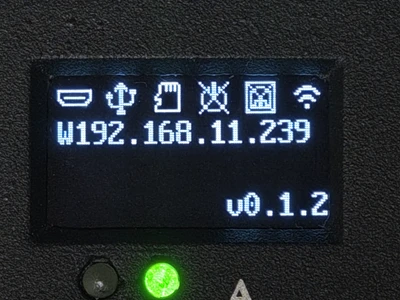
Verify: After insertion, the OLED storage icon shows connected. No change? Re-insert or check if the card is working.
Disk Image Menu
Click the disk image icon in the top bar to open the management interface.
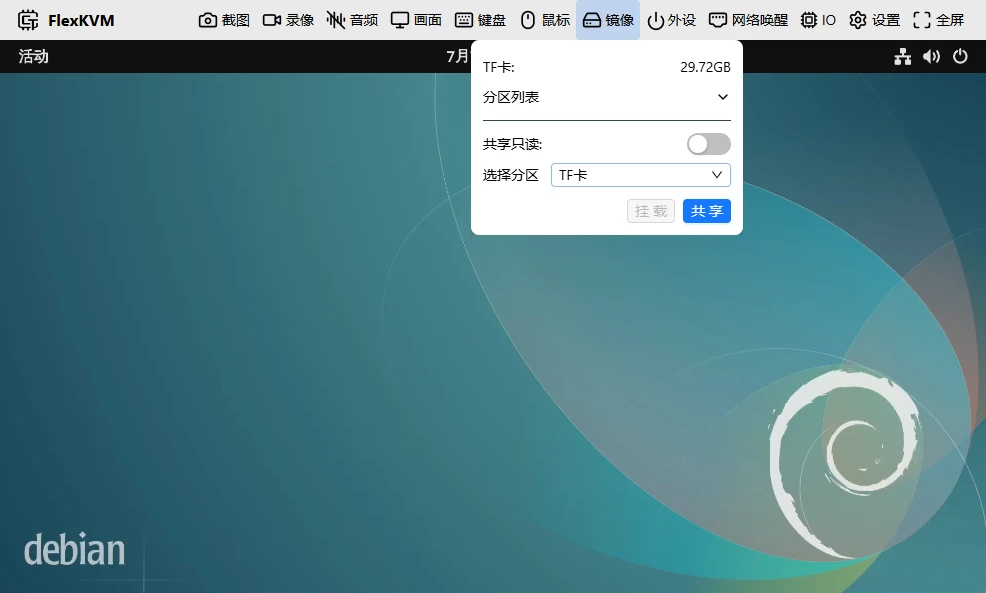
| Icon | Meaning |
|---|---|
 | TF card inserted, idle |
 | No TF card |
 | File upload in progress |
 | File download in progress |
 | Currently shared to host via USB / exporting image |
Four operations:
Full Disk Sharing
Share the entire TF card as a USB drive — the host can see all partitions.
Select the TF card → click Share.
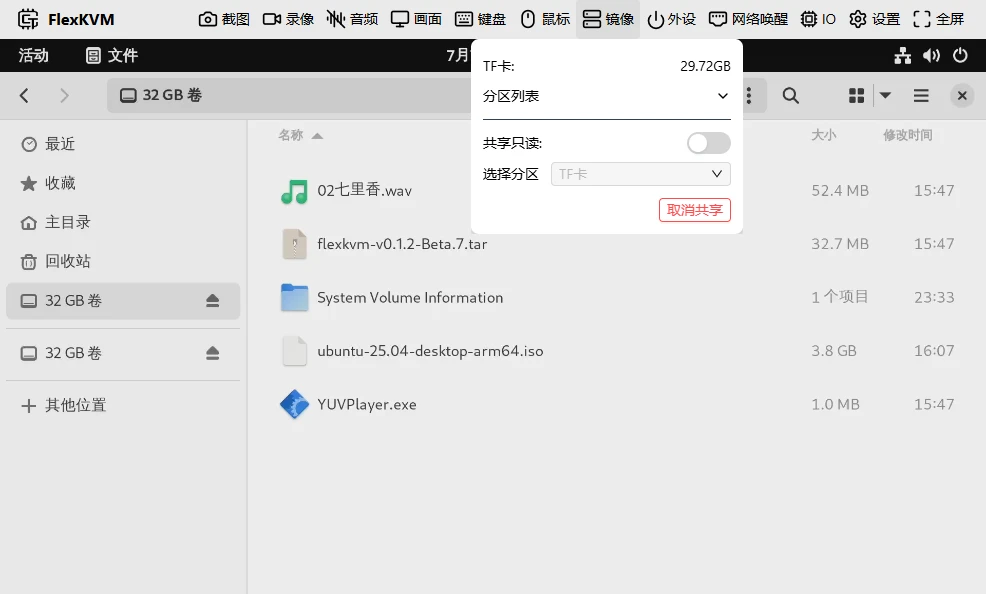
Enable read-only to prevent the host from writing.
Partition Sharing
Share only a specific partition — other partitions are invisible to the host.
Select a partition → click Share.
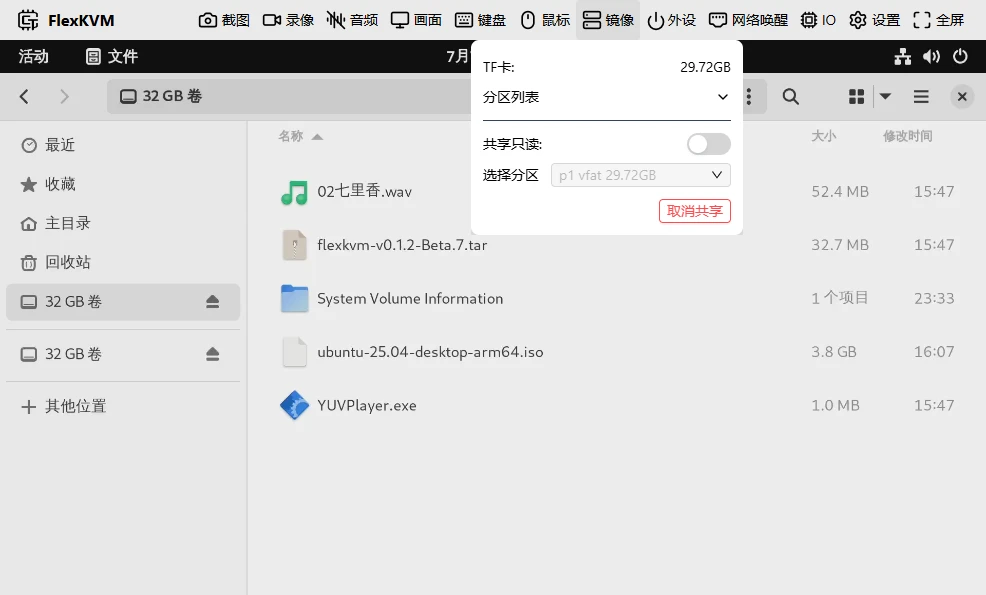
Partition Mounting
Mount a partition to browse and manage files on FlexKVM.
Select partition → click Mount → file list, partition size, upload/unmount buttons appear.
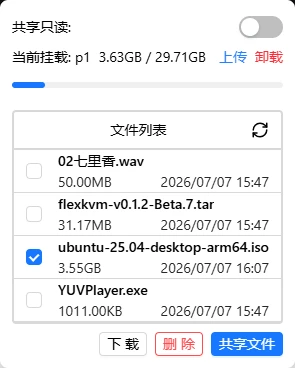
Some partition formats may be incompatible with mounting. If it fails, try exFAT.
Single File Sharing
Mount a partition first → check a .img or .iso file → click Share File. The host will recognize it as a virtual CD-ROM.
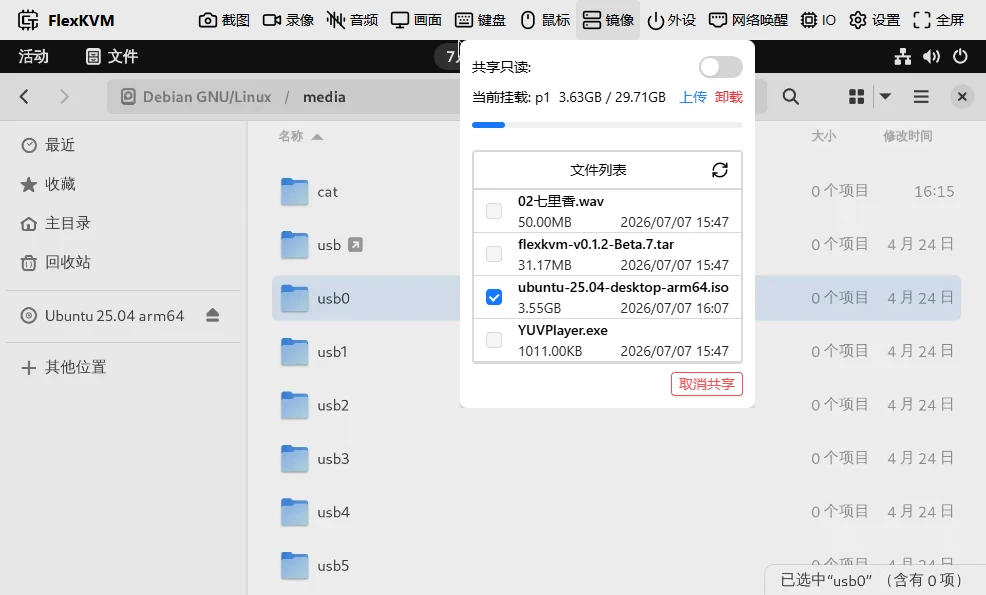
Files larger than 4GB are supported, but must be
.imgor.isoformat.
Safe Removal
| Current state | What to do |
|---|---|
| Single file sharing | Unshare → Unmount partition → Remove card |
| Full disk / partition sharing | Unshare → Remove card |
| Mounted but not sharing | Unmount partition → Remove card |
| Inserted but no operation | Remove directly |
FAQ
TF card not detected? → Check the filesystem. FAT32 and exFAT have the best compatibility.
Shared CD-ROM not recognized by host? → Make sure the file is .img or .iso. Other formats can't be shared as a virtual CD-ROM.
Upload interrupted? → Refresh the page and re-upload. Resume is not currently supported.
OS install failed halfway? → Did you toggle mouse, keyboard, or audio during installation? These actions cause a brief virtual CD-ROM disconnect.