Mouse
Control the target host's mouse pointer. Supports absolute and relative modes, with adjustable sensitivity and scroll direction.
Mouse Status
The mouse icon in the top bar reflects state:
| Icon | Meaning |
|---|---|
 | Connected |
 | Not connected or disabled |
Mouse Menu
Click the mouse icon to open the menu.
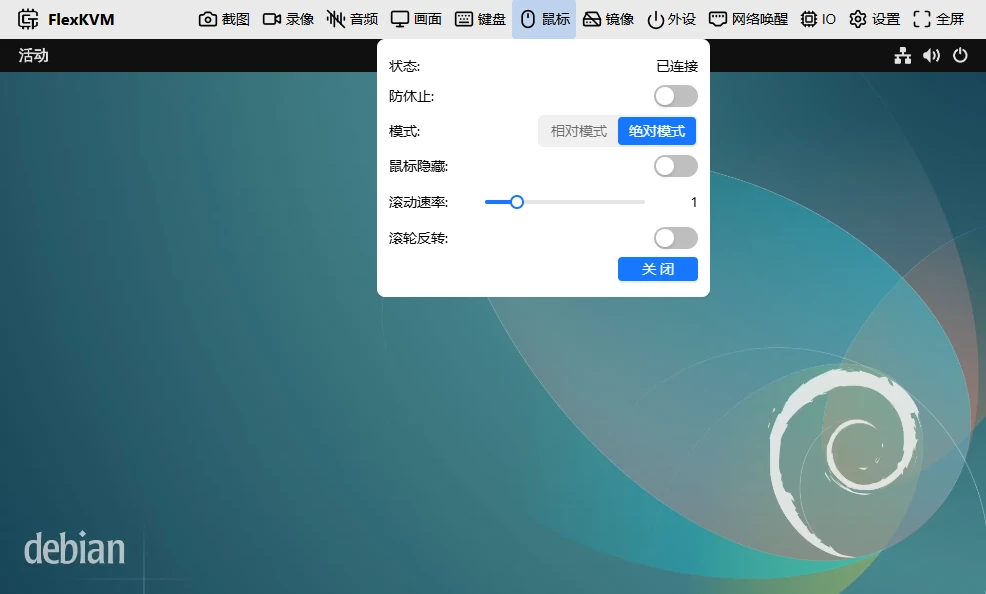
Status
| Status | Description |
|---|---|
| Connected | Normal control |
| Not connected | Connection lost — re-plug USB or refresh the page |
| Disabled | Manually turned off — click Enable to restore |
Anti-Idle
When enabled, the mouse micro-moves periodically to prevent the host from going to sleep due to inactivity. Continues working whether the browser tab is active or not. Turn it off if not needed.
Mode
Absolute mode (default): Where you click on the display, that's where the host cursor goes.
- ✅ Precise positioning, no click-to-focus needed
- ✅ Unaffected by mouse DPI
- ❌ Single monitor only
- ❌ Some games may be incompatible
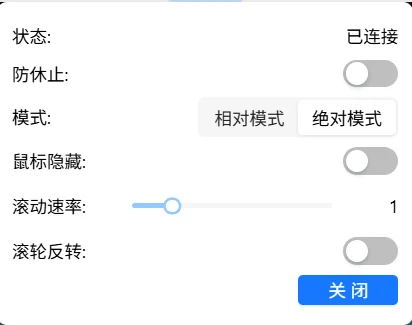
Hide cursor: When enabled, your local cursor auto-hides when hovering over the remote display — avoids showing two pointers.
Relative mode: Move the host cursor like you're using a local computer.
- ✅ Multi-monitor support
- ✅ Compatible with games and apps requiring raw mouse input
- ❌ Must click the display first to enter control
- ❌ Precision affected by mouse DPI
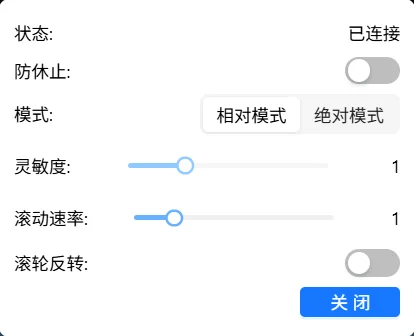
How to use: Click the remote display to enter control (browser requests pointer lock) → move mouse → press Esc to exit.
In non-fullscreen relative mode,
Escis captured. Need to sendEscto the host? → Esc Mapping. In fullscreen relative mode,Escworks normally; a long press will exit fullscreen. PressF11to re-enter fullscreen.
Sensitivity (relative mode only): Adjustable range 0.2–3.0, step 0.2. 1.0 = normal speed.
Scroll speed: Adjustable range 0.5–3.0, step 0.5. 1.0 = normal speed.
Scroll reverse: When enabled, scroll direction is inverted.
Disable / Enable
Click "Disable" → status changes to disabled. Click "Enable" to restore.
Toggling mouse causes a brief USB disconnect/reconnect — keyboard, disk mount, and audio will also briefly drop and recover.
FAQ
Can't escape relative mode? → Press Esc to exit.
Absolute mode position is off? → Check if the host has multiple monitors. Absolute mode only works with a single display.