Appearance
Adjust FlexKVM's interface theme, language, and accent color.
Go to Settings and find the corresponding setting sections.
Language

Use the dropdown to switch between Simplified Chinese and English.
Theme
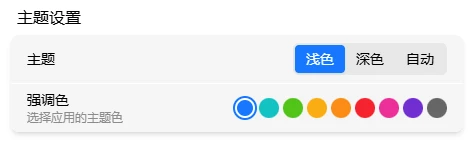
| Theme | Description |
|---|---|
| Dark | Dark background, light text — good for low light |
| Light | Light background, dark text — good for bright light |
| Auto (default) | Follows your system setting automatically |
Accent Color
The accent color is applied to buttons, links, selections, and other elements. The default is blue. Click a color swatch to switch to: Blue, Cyan, Light Green, Amber, Orange, Red, Magenta, Purple, or Gray.